Three options and how to choose
This guide is for clinics whose patients already message them in Telegram. If yours mostly text or call, start there instead. All three options work in the patient's normal Telegram app. The difference is who replies and where open times come from.
- Business account. The patient messages your front desk like any other person. Telegram Business adds opening hours, location, a greeting, an away message and quick replies. Limit: these features need a Telegram Premium subscription, and without a connected bot a person replies.
- Bot with buttons. The patient picks a service and a preferred day and shares a phone number with one tap. The request goes to the front desk, which confirms the time. Limit: this bot cannot see your schedule, so a person gives the exact time.
- Bot linked to your schedule. It shows open slots and books on its own. Limit: it needs a connection to your booking system and someone who handles exceptions.
For most clinics the sensible start is the second option. It takes repeat questions off the front desk without promising a patient a slot that is already gone.
What to prepare before launch
- Who answers the chat and during which hours. The patient should see this right in the greeting.
- A short list of services for the buttons: five to seven items in plain words, not internal names from your fee schedule.
- What to collect: name, phone number, service, preferred day and time of day. That is enough for the front desk to reply with an exact time.
- What not to ask for in the chat: diagnoses, photos of ID, test results. Keep those for the visit. In the US, patient messages may also fall under HIPAA, so check with your compliance lead before you connect anything. In the UK, health details are special category data under UK GDPR, so the same check applies. More in our piece on what customer data you can give AI.
- Who confirms bookings and how soon after a request. Without that, the chat becomes one more inbox nobody clears.
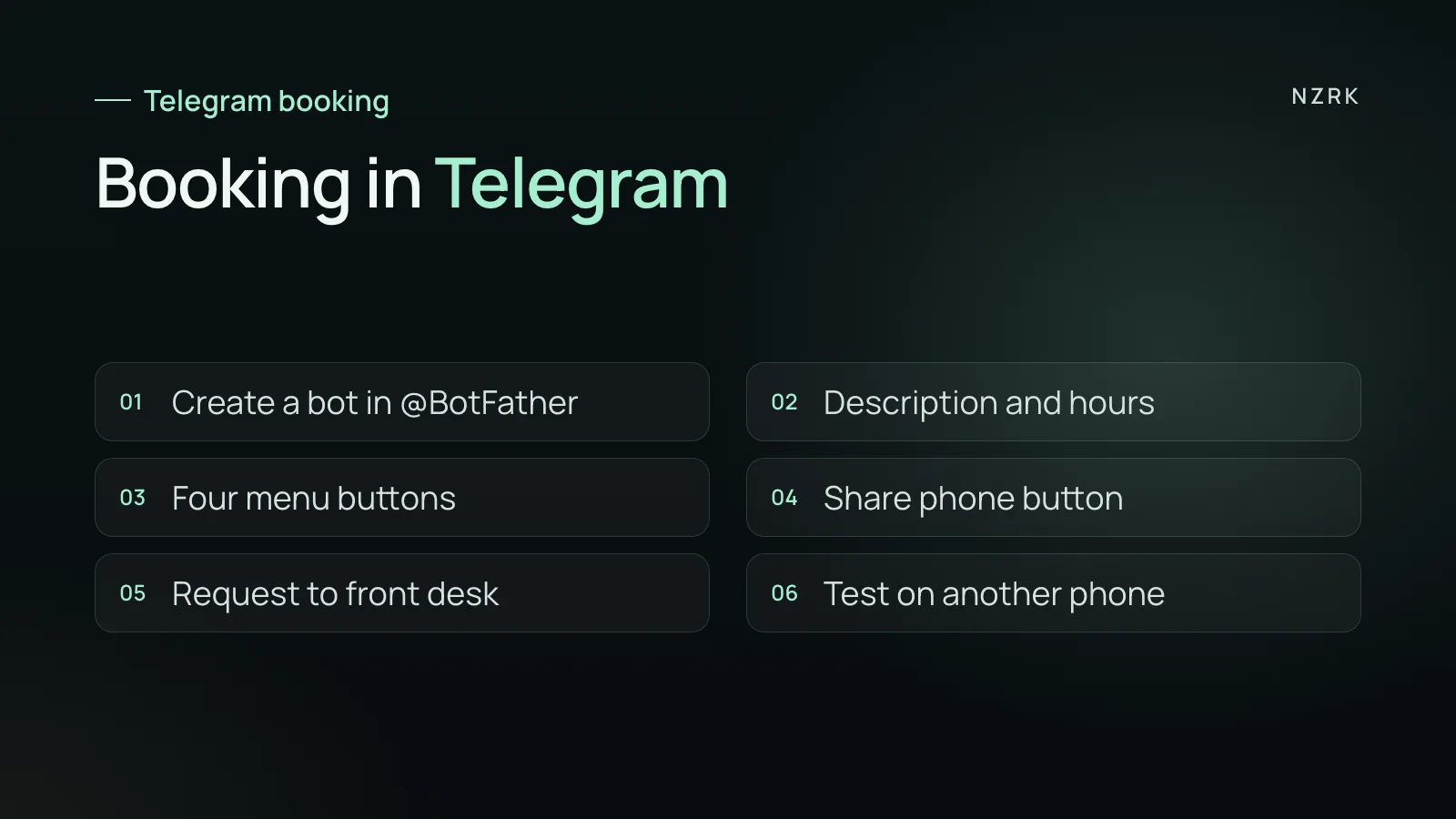
Step by step: a booking bot in 6 steps
- Step 1. Create the bot through the official @BotFather account in Telegram. Send /newbot, then your clinic name and a username that ends in bot.
- Step 2. Fill in the description and profile photo: clinic name, address, chat hours. Patients see the description in the empty chat before they send anything.
- Step 3. Add a menu with four buttons: Book, Reschedule or cancel, Address and hours, Message the front desk.
- Step 4. Ask for the phone number with a Share phone number button. The patient sends their contact with one button press (Telegram asks them to confirm) instead of typing it.
- Step 5. Decide where requests go: a separate front desk chat or your CRM. What matters is that the person responsible for confirming sees it.
- Step 6. Walk through the patient journey on someone else's phone, from the link to the confirmation. Anything that confuses you will confuse a patient.
You can create the bot itself in @BotFather without a developer. The buttons, request handling and CRM handoff are set up by a developer or a bot builder service.
What to send patients: ready texts
- Greeting: "Welcome to Brightsmile Dental. You can book, reschedule or ask a question here. Our front desk replies Monday to Saturday, 9am to 8pm."
- After a request: "Thanks, we have your request. The front desk will message you with an exact time. If it is urgent, please call 020 7946 0000."
- Confirmation: "You are booked for Nov 24 at 10:30am with Dr. Evans. Address: 12 High Street. To ask for a new time, use the button below."
- Outside hours: "The front desk is away at the moment. Your message is saved and we will reply as soon as the clinic opens."
Write the way your front desk talks: polite, short and with one request per message.
Where to put the chat link
A bot cannot message a patient first. The patient starts the conversation, so where they see the link matters.
- Website: a Book in Telegram button next to your phone number.
- Instagram: a link in your bio and in replies to booking questions.
- Front desk: a QR code at reception so patients can request a new time for their next visit.
- Message after booking: a chat link in the confirmation. Ready texts are in our dental appointment reminder templates.
To see where patients come from, add a tag to the link: t.me/smile_clinic_bot?start=site for the website and ?start=qr for reception. Telegram passes the tag to the bot when the patient taps Start, so the request shows its source.
Common mistakes
- The bot promises online booking but only collects a request. Say it honestly: the front desk will confirm your time.
- The Message the front desk button leads nowhere. It should reach a real person with known reply hours.
- A long form. Every extra field raises the chance that someone closes the chat and calls, or does not book at all.
- Broadcasts to everyone who ever tapped Start. Send only what concerns the patient's visit: confirmation, reminder, changes.
- The chat lives apart from the phone. The front desk should see Telegram requests in the same place they book calls, or one slot may go to two patients.
What about phone calls
Telegram takes some calls off the phone, not all of them. Urgent cases, same-day changes and patients who would rather talk than type will still call.
To hear how an AI receptionist books and moves a visit on a call, listen to the AI receptionist demo. The same page has a LumaDent text demo on Telegram. It is an example, and NZRK sets it up for each clinic separately.
Example: one request from start to finish
Checklist for today
- Decide who answers Telegram and during which hours.
- Pick one of the three options and write down who confirms times.
- Prepare four texts: greeting, after a request, confirmation, outside hours.
- Put the tagged link on your website, in Instagram and at reception.
- Book through it on someone else's phone and fix every spot where you hesitated.
Can a clinic message a patient first through a bot?
No. A bot can only message people who opened the chat themselves and tapped Start. That is why the chat link belongs where patients already look for booking.
Do I need Telegram Premium?
Not for a bot: you create it in @BotFather without a subscription. Premium is needed for Telegram Business features on a personal account, such as opening hours, a greeting and quick replies.
Will Telegram replace phone booking?
No, it is one more way in. Some patients will keep calling, so chat requests and calls should land in one schedule.
What if a patient writes outside hours?
Send an honest message about when the front desk will reply, and answer those chats first at the start of the day.