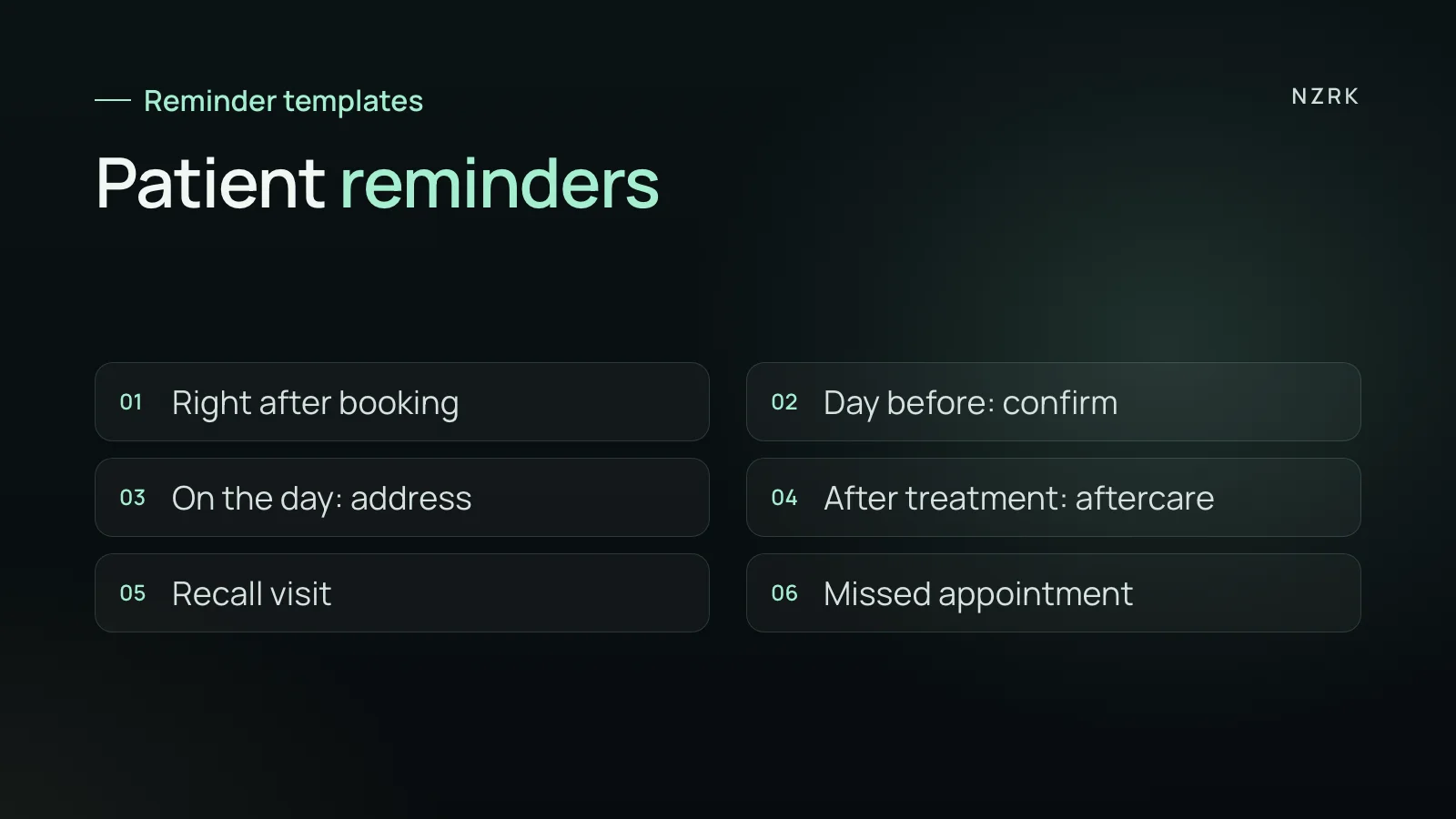
What every reminder needs
A good reminder takes five seconds to read. The patient should not have to open your website or call you to work out what you want.
- In an SMS, your practice name first, so the patient knows who is texting.
- Date, time and dentist.
- Address or a landmark if the entrance is hard to find.
- One request: confirm, reschedule or simply come in.
- How to answer: a one-word reply or a call to a specific number.
What to leave out: diagnoses, medication names, X-ray results and balances due. Texts show up on lock screens, and someone else may pick up the phone. In the US, HHS treats appointment reminders as part of treatment, so no authorisation is needed. Still keep them short. In the UK, health data is special category data under UK GDPR, so stick to time and place.
SMS or a messaging app
- SMS reaches any phone. One standard text fits 160 characters. Longer texts are split into parts of 153, and each part is usually billed separately.
- One emoji, a curly apostrophe or another special character switches the whole text to a 70-character limit, with parts of 67.
- If your texts come from a sender name rather than a number, patients usually cannot reply. Always include a phone number for rescheduling.
- WhatsApp fits longer text with an address and a map link. Automated messages there go through a messaging service or your booking system.
A practical rule: a short SMS version for everyone and a fuller app version for patients who chose that channel when booking. Each template below has both, and the parts in curly brackets are filled in by your system.
Check SMS length with your real practice name and number: a long name alone can use half the limit.
Template 1. Confirmation right after booking
- SMS: "{Practice}: you are booked for {date} at {time} with Dr {name}. To reschedule call {phone}"
- App: "Hi {first name}, you are booked at {practice} on {date} at {time} with Dr {name}. Address: {address}, {how to find the entrance}. If the time does not work, reply here and we will find another one."
Send this within minutes of booking, while the patient still remembers the call. For bookings several weeks ahead, add one more reminder about a week before.
Template 2. The day before: ask to confirm
- SMS: "{Practice}: appt tomorrow {time}, Dr {name}. Reschedule: {phone}"
- App: "Hi {first name}, a reminder of your appointment tomorrow at {time} with Dr {name}. Please reply YES to confirm. If your plans have changed, reply CHANGE and we will send you open slots."
An SMS from a sender name only asks patients to call, so collect confirmations in the app. For morning appointments, send this the evening before. A text at 7am on the day arrives too late to fill the slot.
Template 3. On the day
- SMS: "{Practice}: see you today at {time}, {address}"
- App: "See you today at {time}. Address: {address}, landmark: {landmark}. If you are running late, let us know here so the dentist is aware."
Do not ask for confirmation again. One short message with the address, no practice policies and no offers.
Template 4. After treatment
- App: "Hi {first name}, thank you for coming in today. Your dentist's advice is in the aftercare sheet you were given. If anything worries you, reply here or call {phone} and we will pass it to the dentist."
There is no medical advice in this template on purpose. The dentist gives the advice, and the message only says where to find it and who to contact. Mention the aftercare sheet only if you really hand one out, and agree the wording with your dentists.
Template 5. Recall visit
- SMS: "{Practice}: Dr {name} advised a check-up in {month}. Book: {phone}"
- App: "Hi {first name}, at your visit on {date} Dr {name} recommended a check-up around {month}. Shall we find a time that suits you? Reply with a day that works."
Send this only to patients whose dentist set a recall, with the interval the dentist gave. Keep discounts and offers out of it. Once a text promotes something it becomes marketing. Marketing texts need consent.
In the US, the TCPA requires written consent for automated marketing texts. In the UK, PECR requires consent, with a limited exception for existing customers buying similar services.
Template 6. After a missed appointment
- App: "Hi {first name}, we missed you at your {time} appointment today. We hope everything is fine. If you would like a new time, just reply here."
No blame and no policy reminders. The only goal is to get the patient back in the book. What to do about repeat no-shows is the owner's call, and the options are in our guide on how to reduce no-shows.
Example: fitting one SMS
Who handles the replies
A reminder only works if someone answers CHANGE quickly. Otherwise the patient replied, got no new time and still did not come.
- Check reminder replies several times a day, not at the end of the shift.
- Answer CHANGE with two or three specific slots, not "when suits you?".
- Offer the freed slot straight away to patients on your waiting list.
- If the patient calls instead of replying, the front desk should see that the reminder was sent.
Some patients will still call to move their time. To hear how that sounds, listen to an AI receptionist demo. It does not send reminders. It shows how a booking is moved or cancelled on a call once the patient confirms.
Where to start today
- Check what your booking system sends after a booking and compare it with template 1.
- Trim your SMS to one part, or count how many parts you are actually paying for.
- Agree the aftercare and recall wording with your dentists.
- Decide who reads reminder replies, and when.
How many reminders should I send before a visit?
Usually a confirmation after booking, a reminder the day before and a short message on the day are enough. For bookings several weeks ahead, add one about a week before.
Can I name the treatment in a reminder?
A general word like "appointment" or "check-up" is fine. Keep diagnoses, medication and treatment details for the conversation at the practice.
What if the patient does not confirm?
Do not send the same text again. Make a short call during opening hours, or leave the booking as it is if the patient has always turned up before.
Can I text reminders from a personal phone?
You can, but it is manual work, and the history is lost when staff change. For automated reminders use your booking system or a messaging service.