Why customer data needs care
Personal data is more than a passport. A name with a phone number, an Instagram thread, a booking history or a photo already points to a specific person. When a staff member pastes that into a chat, the data leaves your CRM and lands in one more service.
What happens next depends on that service’s terms and on whose account it is. You usually don’t control an employee’s personal account. You can’t see its settings or history, and you can’t delete it when they leave. So the rule isn’t about fearing AI. It makes sure everyone on the team draws the line in the same place.
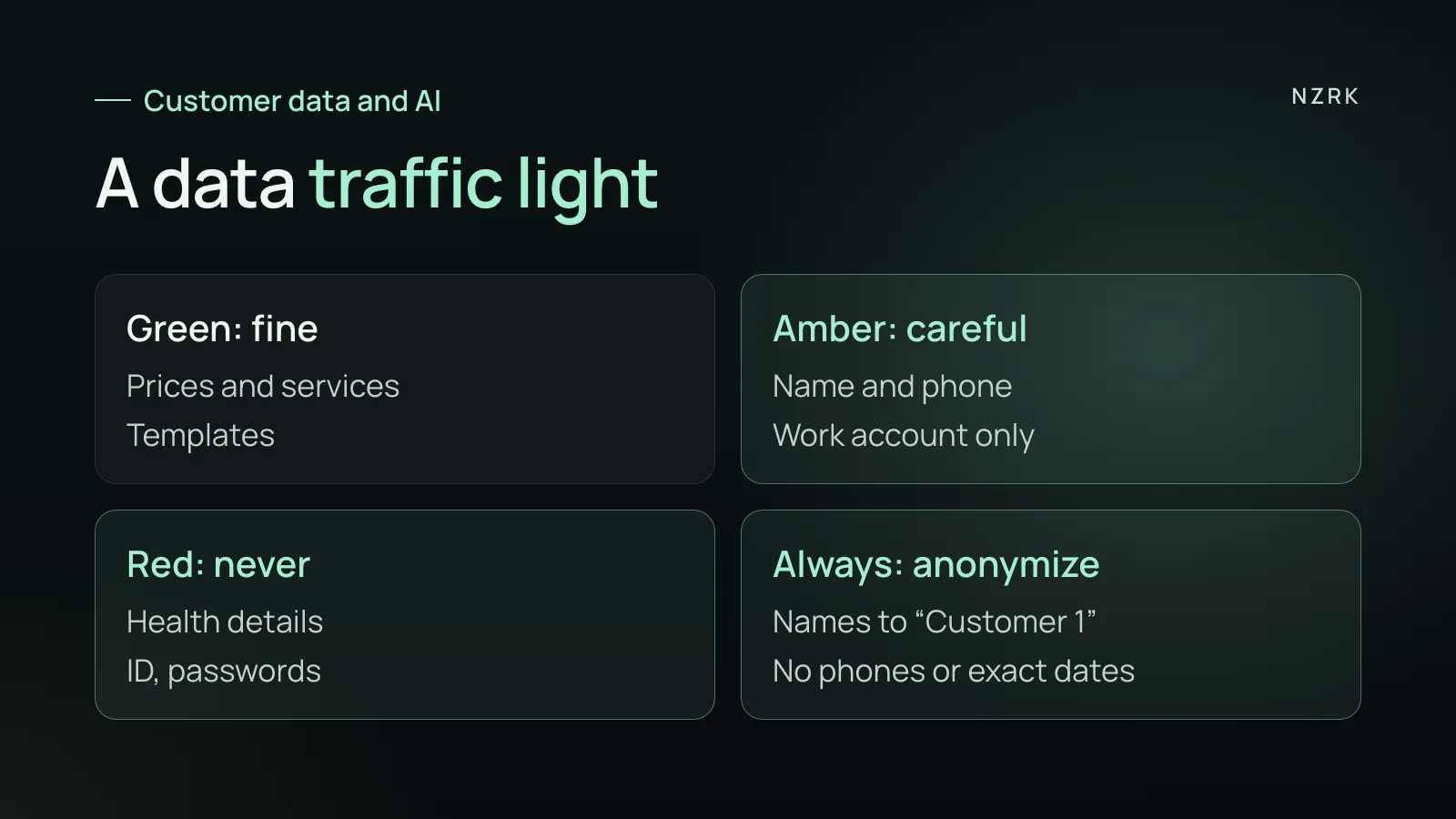
A traffic light rule for your team
Green: fine for any AI tool.
- Price list, service descriptions, opening hours, address.
- Message templates and scripts with no customer details.
- Reviews with names and identifying details removed.
- General questions, such as how to answer a complaint about running late or how to explain a deposit.
Amber: only in a work account of a tool whose terms you have checked, with the fewest fields possible.
- A customer’s name and phone number.
- A thread with a specific customer.
- Booking and purchase history.
- A customer spreadsheet. Keep only the columns the task needs.
Red: never in an ordinary chat.
- Diagnoses, treatment details, patient photos, any health information.
- Passport, driver’s license, Social Security or National Insurance number.
- Card and bank account numbers.
- Passwords, access codes, API keys.
How to anonymize text in two minutes
- Replace names with “Customer 1”, “Customer 2” and staff with “Practitioner A”.
- Delete phone numbers, emails, handles, addresses and order numbers.
- Swap exact dates for general ones: “last week”, “on Tuesday”.
- Remove rare details that identify someone: job title, street, an unusual story.
- Reread it: would a colleague recognize this person? If yes, remove more.
Before: “Emma Clarke, 07700 900123, says Dr Patel moved her filling twice”. After: “A patient says her appointment was moved twice”. That is enough to ask for a polite reply. The AI never saw the contact details or the treatment.
We cover how to ask AI for replies like this in ChatGPT for business owners.
What to check in an AI tool
Terms can differ between tools, including between the free and business plans of the same tool. For example, OpenAI says it does not use data from its ChatGPT business plans or its API to train models by default. On a regular account you have to switch this off yourself under Data Controls. Before any amber data goes in, find answers to six questions.
- Does the tool train models on your data, and how do you turn that off?
- How long are chats and files kept, and can you delete them?
- Who on the team can see other people’s chats?
- Can you sign a data processing agreement?
- Which country is the data stored in?
- Is this a work account rather than an employee’s personal one?
Look for the answers in the tool’s own terms and privacy policy, not in review articles. Terms change, so check them every few months.
When AI talks to your customers itself
A writing chat only works with what you give it. It’s different when AI answers customers on its own, such as an AI Receptionist for your clinic. Then names, phone numbers and bookings pass through the vendor’s system every day. Ask the vendor the questions above before you sign, and get the answers in writing.
Also ask what the system does when a caller volunteers health details, and how data is deleted when the contract ends. We collected the other vendor questions in 20 questions about an AI Receptionist.
A one-page policy for your team
- We only use work accounts issued by the company.
- Before pasting anything, we decide its color: green, amber or red.
- Amber only in an approved tool, red never in an ordinary chat.
- We anonymize whatever we can, even in an approved tool.
- We reread everything that goes to a customer.
- If something slips in: delete the chat straight away and tell the person in charge.
Name one person who keeps the list of approved tools and answers the team’s questions. Then the policy won’t become a document nobody opens.
What the law says in the UK and US
In the UK, the UK GDPR treats health information as special category data. To use it you need a lawful basis and, in addition, a separate condition under Article 9. When a vendor processes personal data on your behalf, the law requires a written contract with that processor.
In the US, many dental and medical practices are covered by HIPAA. A covered practice needs a business associate agreement before a vendor handles protected health information for it.
This article isn’t legal advice. If you run a clinic or handle health information, agree your rules with a lawyer or your data protection lead.
Can I paste our customer spreadsheet into ChatGPT?
Only in a work account whose terms you have checked, and only with the columns the task needs. If names and contact details aren’t needed, remove them.
Is turning off model training enough?
No. It is one setting among several. Retention, who on the team can see chats, a data processing agreement and whose account it is all matter too.
A staff member pasted a patient’s diagnosis into a chat. What now?
Delete the chat, tell the person in charge and write down what happened. Then ask your lawyer or data protection lead whether anything else is needed. Go over the traffic light rule with the team again.
Does this apply to small businesses?
Yes. Data protection rules apply to small businesses too, and customers trust you with their details either way.