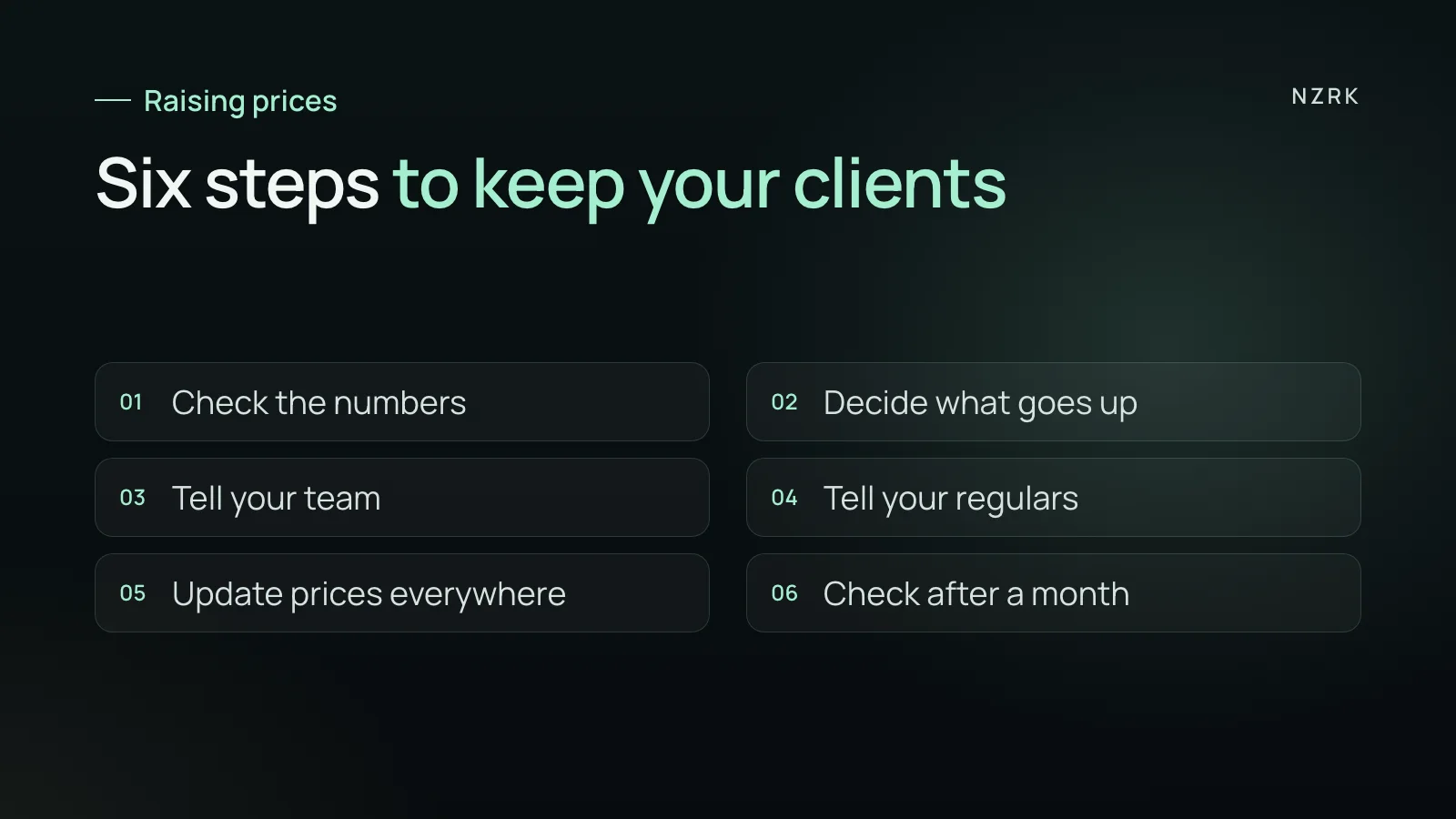
Numbers first, decision second
A blanket "just in case" increase also hits services that are already hard to sell. Start with the math: materials, staff time and overheads for each service. We walk through it step by step in how to price a service.
Then look at your services from four angles:
- Which services no longer cover their cost and the specialist's time.
- Which services are booked a week or more ahead, so demand is higher than your free time.
- Which prices clients ask about most and compare with competitors.
- Where the price has not changed for the longest time.
You do not have to raise everything at once. Often it is enough to change the price of a few services that run at a loss or have a waiting list.
Five decisions before you announce
- What goes up. A specific list of services, not "prices have increased".
- By how much. One well planned increase is usually easier to manage than several small ones in a row: each one needs its own announcement.
- From what date. One date for every channel: website, price list, messages and phone.
- What happens to existing bookings. Honor the old price for anything booked before the date.
- Whether regulars get a transition period. If they do, give it a clear end date.
Who to tell and when
- Your team first. Front desk staff and specialists should know the new prices and the answer to "why" before clients do.
- Regular clients personally. A text or an email early enough that they can still book at the old price if they want.
- People who already have a booking. Put the price they will pay in the confirmation.
- Website, price list and profiles on the day of the change. Update your service list in your Google Business Profile too, if your business type has a Services section. Keep prices out of the profile description: Google does not allow them there.
- New clients. They simply see the new price from the change date and need no separate notice.
If you sell memberships, packages or service contracts, check the notice terms you agreed to before you set the date.
Ready scripts
Fill in your own services, prices and dates. Only use a reason that is actually true:
- Text to a regular client: "Hi [name], from [date] our [service] will be [new price] instead of [old price]. We wanted you to hear it from us first. Anything booked before [date] stays at the old price."
- To someone already booked: "A reminder of your visit on [date] at [time]. Your price stays at [old price], as agreed when you booked."
- Front desk on the phone, when asked the price: "Currently [service] is [price]. From [date] it will be [new price]. If you book before [date], your price stays at [price]."
- Note on your website price list: "Prices updated [date]. Bookings made earlier are charged at the price shown when you booked."
What to say to "why the increase?"
One short, honest reason usually works better than a long explanation. Clients do not need your cost spreadsheet. A few lines for the front desk:
- "Materials and staff costs have gone up. We reviewed our prices so we do not have to cut corners on quality." Only if it is true.
- "I understand it is not welcome news. I can suggest an option within your budget: [a shorter treatment or another specialist]." Only if that option exists.
- "We have not changed our prices in [period], and this is the first review since then." Only if it is true.
If a client says "that's expensive" while booking, see our guide to handling price objections. It covers five different meanings of that phrase.
In the first weeks after the change, clients may ask about prices more often by phone, in DMs and in messages. Each of those questions needs a timely answer. Take the free AI audit: it shows where requests get lost and what to fix first.
What not to do
- Do not reveal the new price at checkout, after the service.
- Do not change the price for people who booked earlier.
- Do not apologize for several paragraphs: it can sound like you doubt your own price.
- Do not discount for everyone who complains. Otherwise the new price only applies to people who stay quiet.
- Do not leave old prices on Instagram, your website or in your front desk message templates.
What to check after a month
- How many regular clients booked again after the change.
- How many people turned down a booking because of the price.
- How many exceptions you made and who approved them.
- Revenue from each service whose price changed, compared with the month before.
If fewer regulars left than the example calculation allows, revenue from that service did not drop. If more left, look at which services they left from and review those prices first.
How much notice should regular clients get?
Enough that they can still book at the old price if they want. For services people book monthly, that usually means a few weeks. If you have memberships or contracts, follow the notice terms in them.
Do I need to explain the reason?
Yes, in one honest sentence. Clients do not need long explanations or cost breakdowns.
What if a regular asks to keep the old price?
Decide in advance whether you make exceptions and who approves them. If you do, note the exception on the client record so it does not become the new rule.
Raise prices for everyone at once or gradually?
You do not have to raise everything at once. Start with services that do not cover their costs or have a waiting list. Make the change on one date for every channel. New clients see the new price from that date. Regulars can get a transition period with a clear end date.