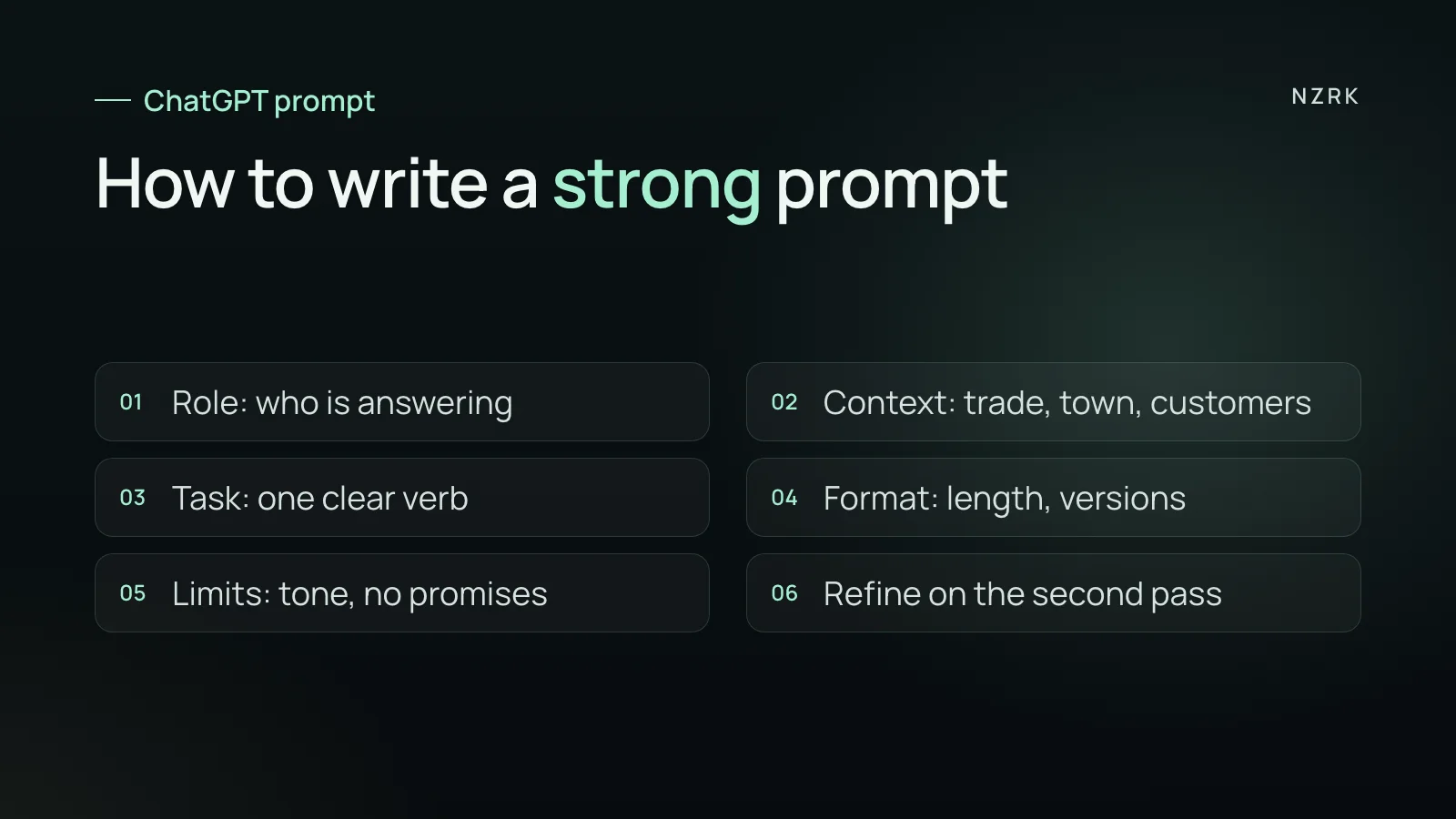
A prompt formula in five parts
Most weak answers come from a short request with no context. Asking for “a post about our discount” gets you generic copy that could belong to anyone. The model does not know your trade, your town, your customers or your tone, so it fills the gaps with something average.
A strong prompt has five parts:
- Role: who the model should be. For example, an experienced dental front desk lead or a marketer for local businesses.
- Context: your trade, your town, who your customers are, what happened.
- Task: what to do, in one verb: write, shorten, group, compare.
- Format: length, list or paragraph, how many versions.
- Limits: tone, what not to promise, which words to avoid.
The second rule: never treat the first answer as final. Ask for two or three versions, pick the closest one and say what to change. The best text usually shows up on the second or third pass. Below are ten tasks. Anything in square brackets is where your own details go.
Customers: reviews, questions, complaints
Task 1. Reply to a Google review. Prompt: “Role: front desk lead at a [type of business] in [city]. Customer review: [text]. Task: write a reply under 80 words. Say thanks, respond to one specific detail from the review, no stock phrases and no promises we cannot keep. Give two versions: reserved and warm.”
Task 2. Answers to common questions. Prompt: “Here are the questions customers ask most and our current answers: [list]. Rewrite each answer in plain, friendly language, under 40 words. Keep every fact and add nothing of your own. Flag any question where the answer is incomplete”. The result works for your front desk team and for an FAQ page on your website.
Task 3. Sorting reviews. Prompt: “Below are reviews of our business with customer names removed: [reviews]. Group them by theme, give the number of mentions and one short quote for each theme. Then list three things customers praise and three things that annoy them”. In a few minutes you can see what to fix first.
Copy: services, social media, hiring
Task 4. Service description. Prompt: “Here is a service description from our price list: [text]. Rewrite it for customers without industry jargon: what it is, who it suits, what happens during the visit, how to prepare. Under 100 words. Do not make anything up: if details are missing, list what to check.”
Task 5. A month of content. Prompt: “We are a [type of business] in [city], and most of our customers are [who]. Draft a four-week Instagram plan, three posts a week: topic, format (carousel, Reel, Story) and the main point in one sentence. No giveaways and no discounts.”
Task 6. Job ad. Prompt: “We are hiring a front desk coordinator for a [type of business], schedule [hours]. Duties: [list]. Write a job ad: why this is a good place to work, the daily routine, who we want and how to apply. Be honest, skip clichés like ‘fast-growing team’ and ‘competitive pay’.”
Team: checklists and scripts
Task 7. Shift checklist. Prompt: “Here is how our front desk opens and closes each day, in my own words: [description]. Turn it into a one-page checklist with boxes to tick. Keep the order, remove repeats”. A document like this makes training a new hire much easier.
Task 8. Phone script. Prompt: “Role: experienced front desk lead at a [type of business]. Write a phone script: greeting, find out what the caller needs, offer two time options, confirm the booking. Add answers for when the caller asks the price before booking or says they will think about it”. We break down the structure and ready phrases in our guide to a receptionist phone script.
Owner decisions: conversations and ideas
Task 9. Rehearse a hard conversation. Prompt: “I need to talk to [a stylist, a supplier, my landlord] about [topic]. My goal: [what I want]. Play that person and push back the way they might. After five exchanges, tell me where my arguments sounded weak.”
Task 10. Stress test an idea. Prompt: “I want to introduce [a membership, deposits for bookings, a new service]. About the business: [short description]. Name five risks, how customers might react badly, and what to test with a small group of customers before a full launch.”
What never to paste into the chat
A regular chat is not the place for personal data. Before you paste reviews, message threads or a spreadsheet, strip out anything that points to a specific person.
- Customer names, phone numbers, emails and addresses.
- Diagnoses, treatment details or any health information.
- Passwords, logins, card and bank details.
- Internal reports that include staff or customer data.
This matters legally too. In the US, a clinic that is a covered entity must protect patient health information under the HIPAA Privacy Rule. In the UK, customer personal data falls under UK GDPR.
Removing names and details before you paste is a good first habit, but it is not a guarantee. Data can still identify a person indirectly, so when in doubt, leave it out or ask your compliance adviser.
In ChatGPT settings, under Data Controls, you can stop your chats from being used to train models. The option is called Improve the model for everyone.
For one-off requests there is Temporary Chat: it does not appear in your history and is not used to train models. OpenAI may still keep it for up to 30 days for safety reasons. None of this replaces the rules above: less data in the chat means less risk.
Where ChatGPT will not help
ChatGPT drafts text and helps you work, but on its own it is not a front desk. It does not answer your business phone, reply to your customers on Instagram or book them in by itself.
Even with a calendar connected or scheduled tasks set up, it is a tool for you. It is not a channel that talks to your customers. If your real problem is calls and messages that go unanswered, you need a different tool.
That job needs a system connected to your phone line, messaging apps and booking calendar. It replies to customers, books appointments and hands tricky cases to a person. That is what an AI Receptionist for service businesses does. NZRK sets it up for a specific clinic or salon. We explain how these agents differ from a regular chat in what AI agents can actually do.
How to check an answer before you send it
- Facts: check prices, address, hours and service names against your own price list. ChatGPT can make mistakes and invent details with full confidence.
- Promises: remove anything you are not ready to deliver.
- Tone: read it out loud. If your best front desk person would not say it that way, rewrite it.
- Length: customers read on their phones, so shorter is almost always better.
Save the prompts that worked in a shared document for your team. Then the quality of your messages does not depend on who is on shift today.
Do I need a paid ChatGPT plan?
For the tasks in this article you can start on the free plan. Paid plans add higher usage limits and stronger models, but the details change, so check the current OpenAI pricing page.
Can I give ChatGPT my message threads with customers?
Only after removing names, phone numbers and other personal data. That does not get in the way of finding themes: the model sees the content, not the people.
ChatGPT sounds generic. What can I do?
Give it a sample of your own writing and ask it to match the tone. Add limits: shorter sentences, plain words, no ‘high quality’ or ‘professional’.
Can ChatGPT reply to my customers on its own?
Not on its own. ChatGPT helps you prepare replies, but it does not take your customers’ calls and messages on your number or your accounts. That takes a separate system connected to your channels and calendar.